Downloading priorities for article bodies
There are 16 priority levels for downloading artile bodies; 1 is the lowest and 16 is the highest
priority.
The default priority upon launching the program is equal to 7, it can be redefined in properties->tasks, current mark
for download priority on program start. The shortcuts for priorities 1-9 are keys Alt+1-Alt+9.
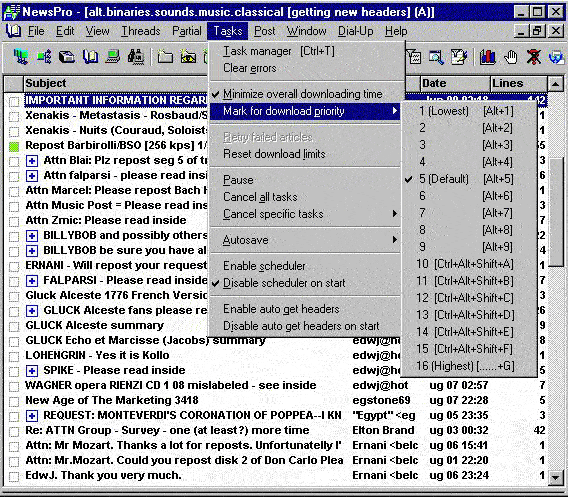
Priorities and download order
If we want to download some binaries on background - we can invoke the
Alt+2 shortcut to set priority level to 2 and mark for downlading the binaries.
After that we'll press Alt+5 to provide a higher 5-th priority, so that we can
read other articles without waiting for all the binaries.
Suppose we marked for downloading a large number of articles. Still we want to be able
to download some messages immediately. We just set a higher priority and mark or remark (cancel is
not needed) articles in question (see the following example).
Example: changing download order dynamically
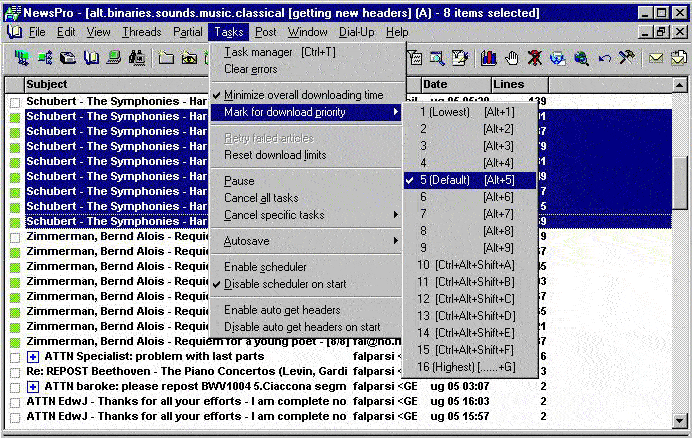
Here we set downloading priority to 5 and mark "Schubert..." for downloading.
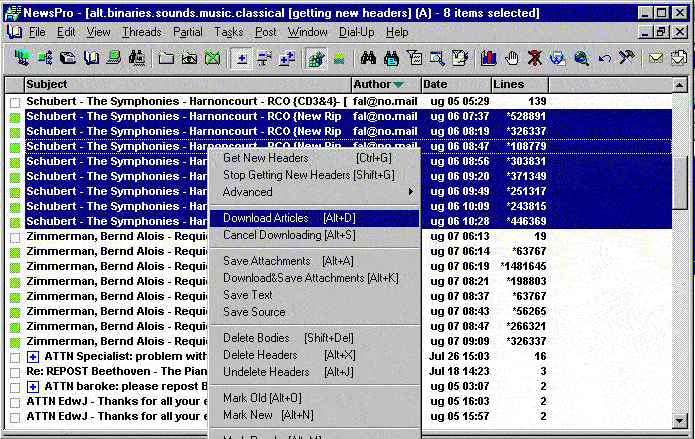
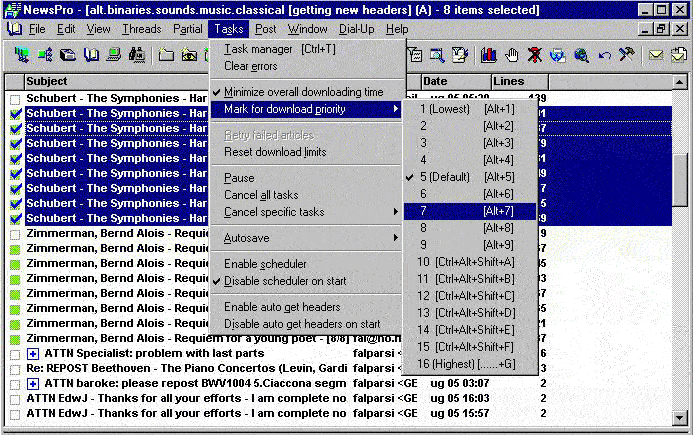
Then we set downloading priority to 7 (higher value) and mark "Zimmerman..." for downloading.
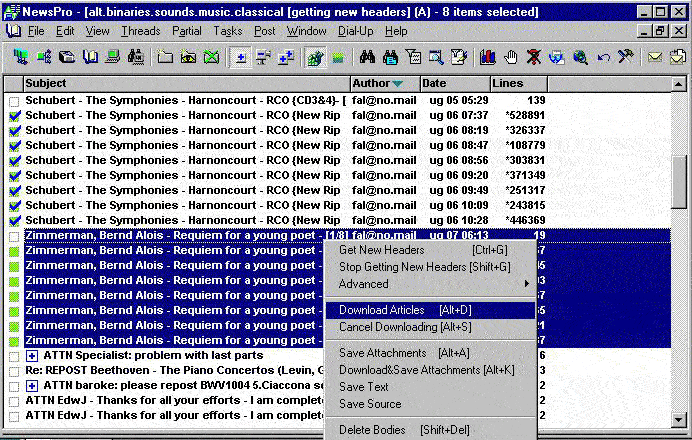
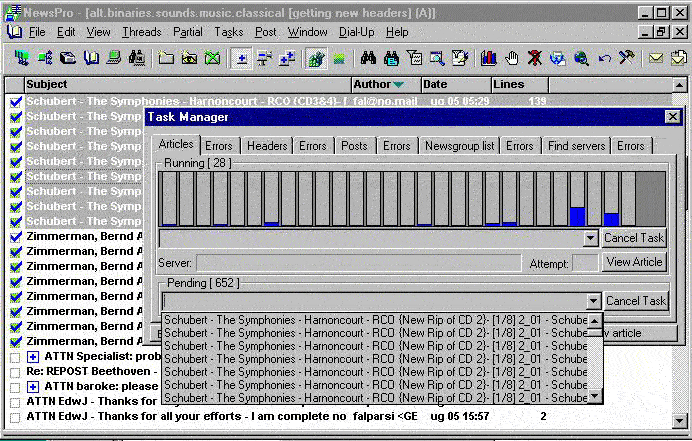
We can observe in the task manager that the "Zimmerman..." tasks are first in the queue.
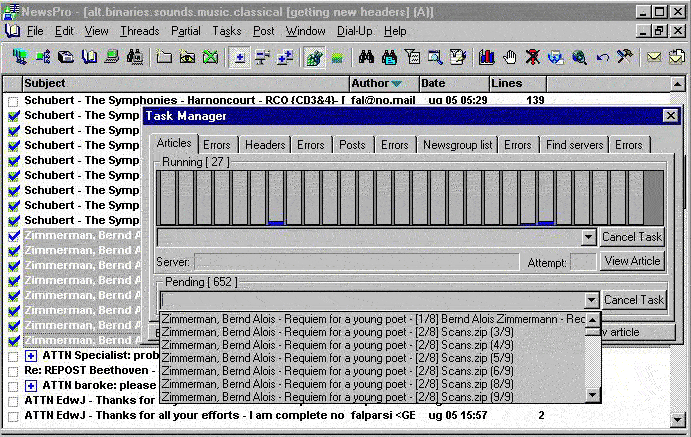
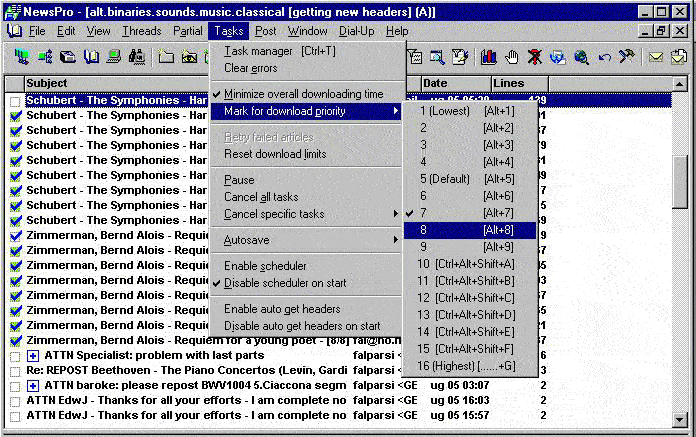
Afterwards we decide that we want to download "Schubert..." articles first.
We just set priority to a higher value (8) and remark for download the "Shubert..." headers without
cancelling the tasks (i.e. mark for download already marked articles:
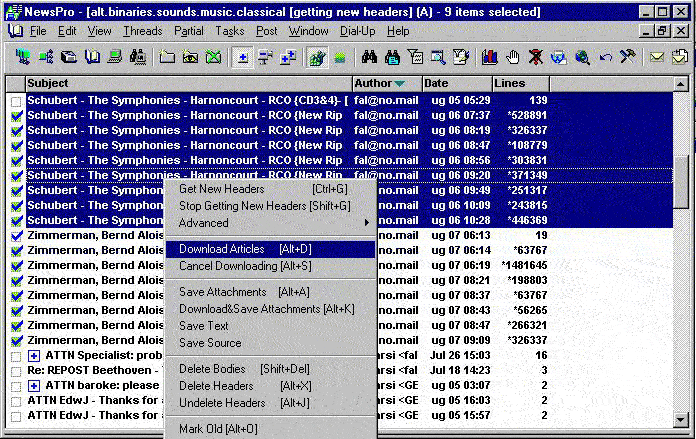
Then we see that "Schubert..." articles have been moved to the head of the queue, since they
got a higher priority than the "Zimmerman..." articles:
Persistancy of article downloading priorities
Priorities are assigned in the moment when marking for download takes place.
If an downloading error happened and and unsuccessful articles are retried -
that will happen in the same order and with the same priority, e.g. high-priority tasks
remain as such. After exit - priorities are also saved so upon restart articles will
be marked for download not only in the same order but also with the same priority.